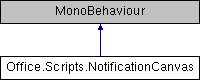
Shows a notification on screen with custom text passed to the component.
More...
|
| void | Notify (string text) |
| | Create a notification from a given text, this will fade out after 3 seconds. More...
|
| |
| void | CreatePendingNotification (string text) |
| | Create a delayed notification for the next instanced notification component (e.g.: to reload a scene). More...
|
| |
Shows a notification on screen with custom text passed to the component.
| void Office.Scripts.NotificationCanvas.CreatePendingNotification |
( |
string |
text | ) |
|
|
inline |
Create a delayed notification for the next instanced notification component (e.g.: to reload a scene).
- Parameters
-
| text | The notification text. |
| void Office.Scripts.NotificationCanvas.Notify |
( |
string |
text | ) |
|
|
inline |
Create a notification from a given text, this will fade out after 3 seconds.
- Parameters
-
| text | The notification text. |
The documentation for this class was generated from the following file:
- Assets/Office/Scripts/NotificationCanvas.cs
 1.8.11

